When I first wrote about Docraft, the list of documents it was “designed for” was a bullet list of intentions: medical reports, invoices, industrial quality reports, shipping labels. It was accurate, but it was also a promise — none of those existed as something you could actually open and look at.
They do now. Docraft’s example gallery ships five complete templates, each a real .craft file paired with a JSON data file, meant to be used as a starting point rather than just admired. Here’s what each one actually produces.
Invoice
The most conventional of the five: company header, client details in a shaded box, an itemized table, and totals — all driven by the bound JSON rather than hardcoded.
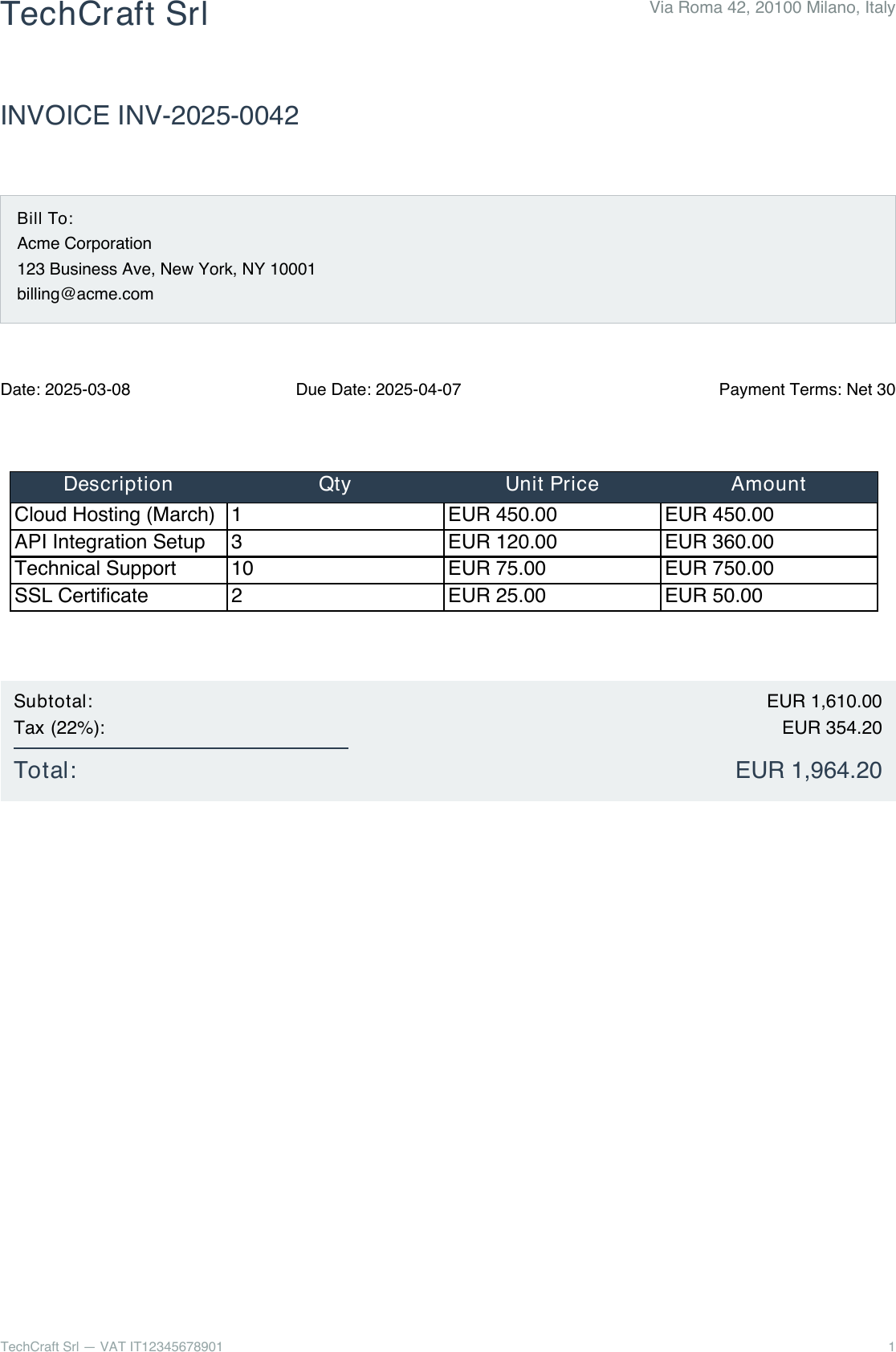
The header alone is a good example of how the Craft Language handles proportional layout — a horizontal <Layout> splitting company name and address by weight, the same mechanism from the very first hello.craft example, just applied to something that actually has to look professional:
<Layout orientation="horizontal">
  <Text weight="0.67" font_size="20" style="bold" color="#2C3E50">${company_name}</Text>
  <Text weight="0.33" font_size="10" alignment="right" color="#7F8C8D">${company_address}</Text>
</Layout>
Shipping Label
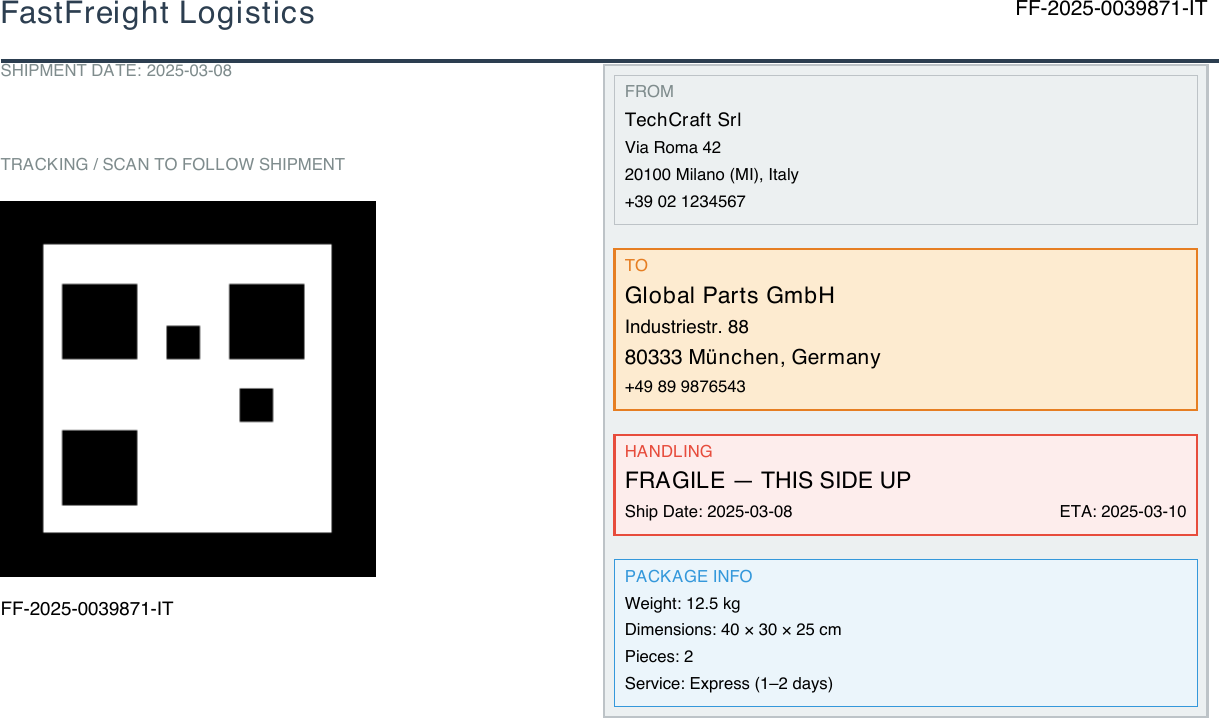
A compact A5-landscape label for logistics and warehouse use — sender/receiver details, a scan-code area, and package information. One design detail from the docs worth noting: sender details appear exactly once, in the “FROM” box on the right, while the left column is reserved entirely for the scan code — so nothing on the label is duplicated across the two columns.
Medical Report
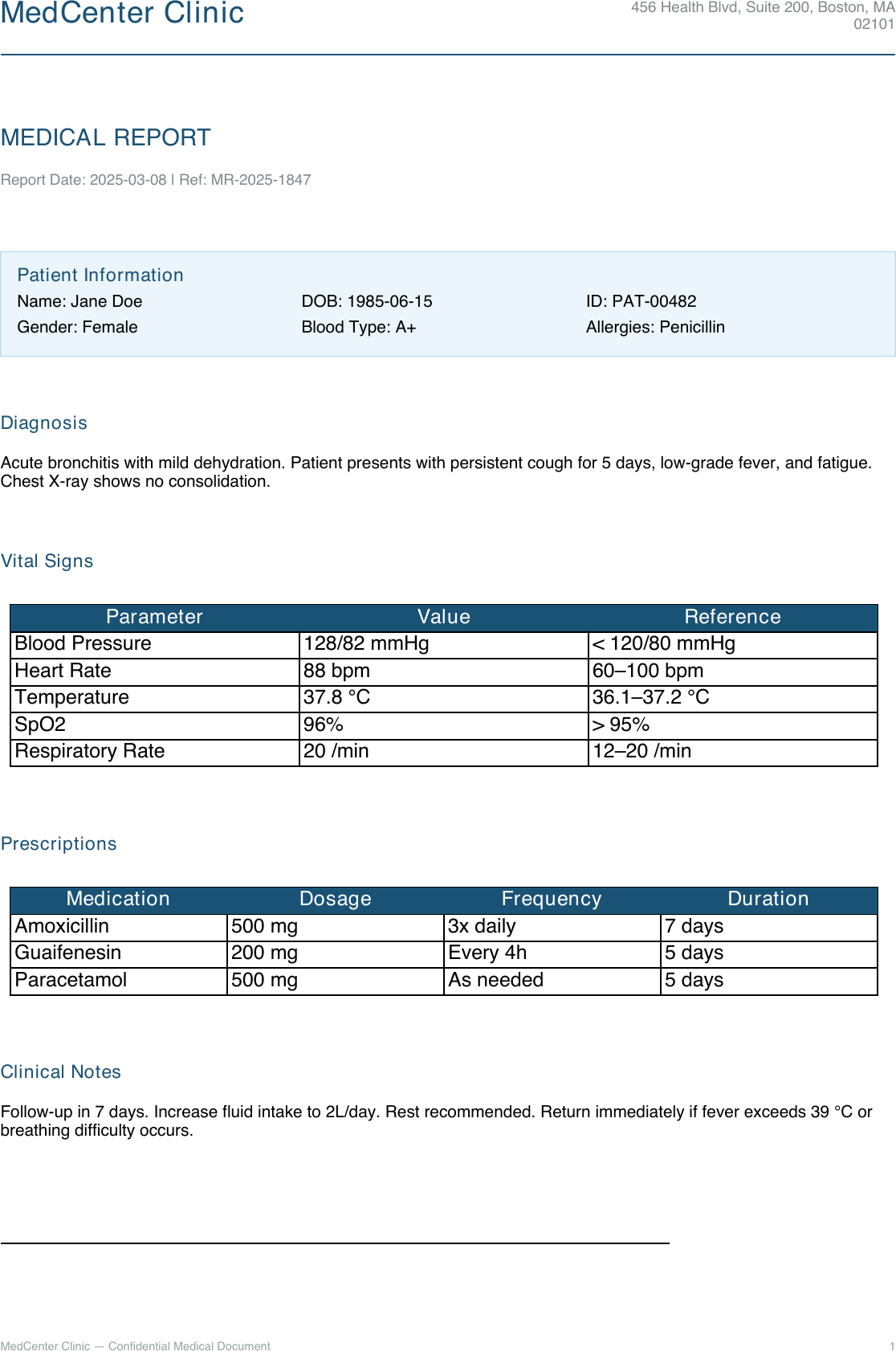
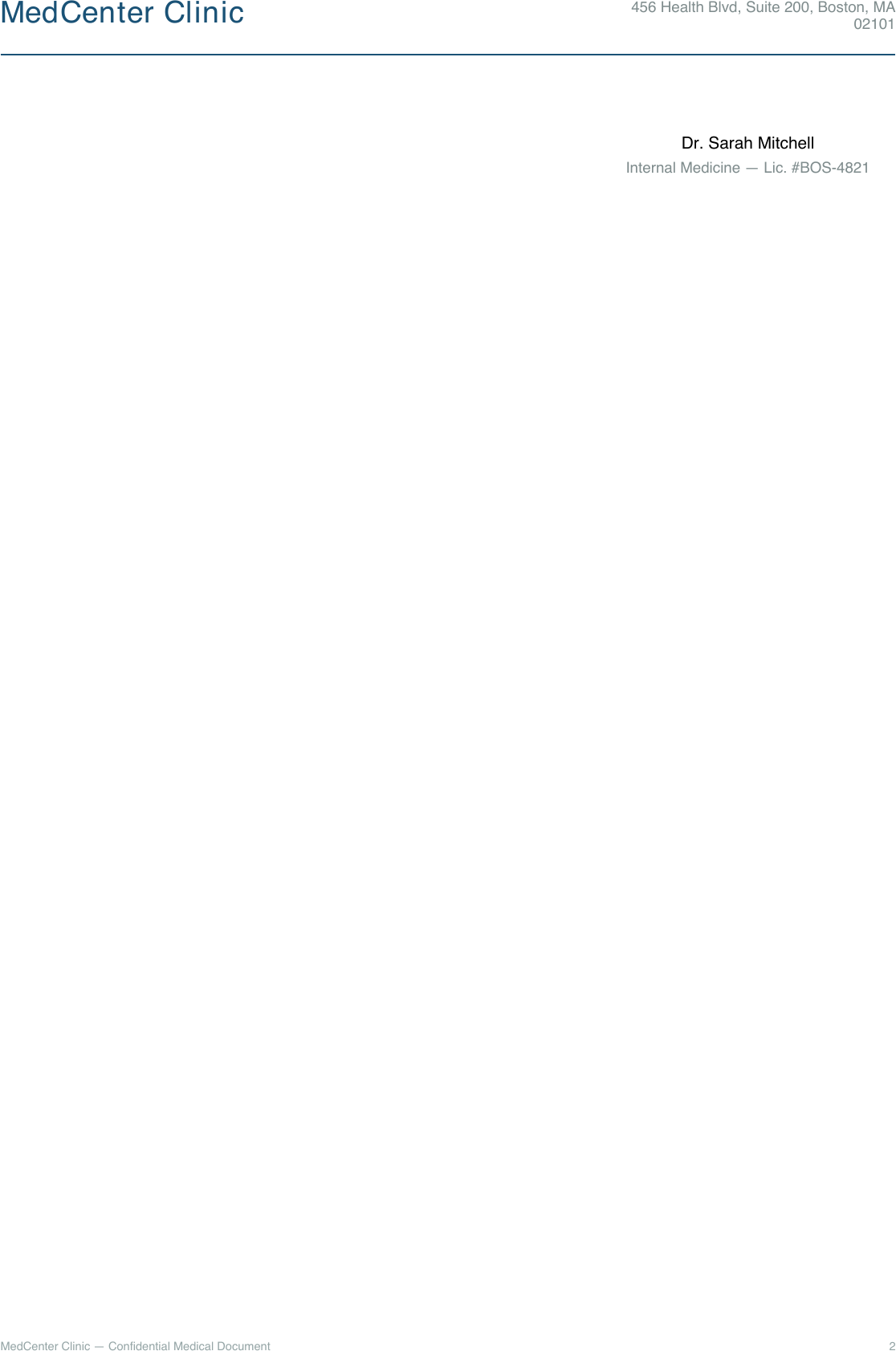
Patient information, diagnosis, prescriptions, and a physician signature block, across two pages. This one is close to the reason Docraft exists in the first place — I build pre-operative planning software for a living, where a generated report is something a surgeon actually reads before a procedure, and “close enough” formatting isn’t good enough.
Industrial Quality Report
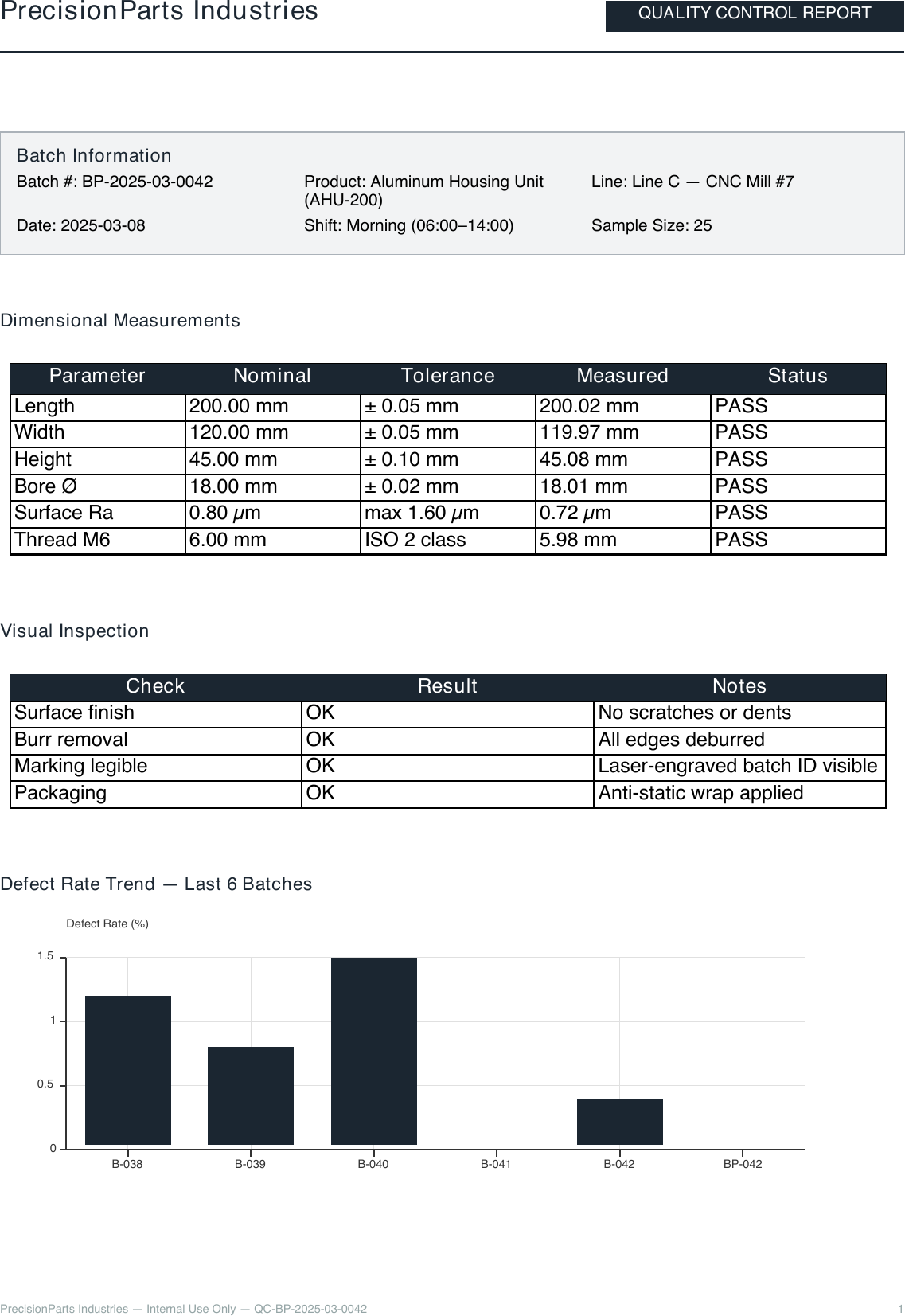
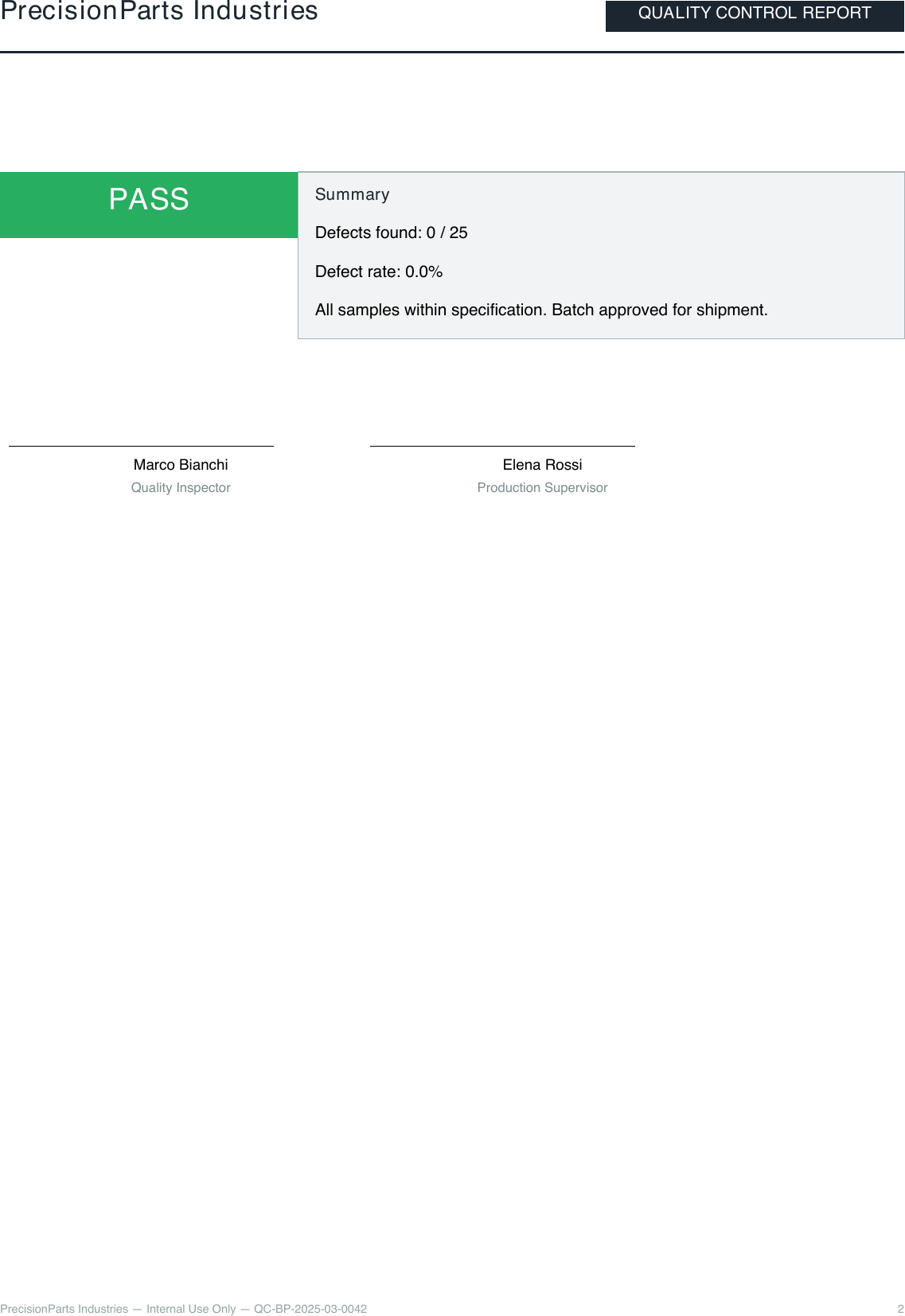
A production QC report: batch details, a measurement table, a pass/fail summary, and inspector sign-off, again across two pages. The template sets explicit <SectionRatios> for header/body/footer proportions — a reminder that these aren’t toy examples tuned to look nice on one screen size, they’re built to hold up as real paginated documents.
Sales Performance Report
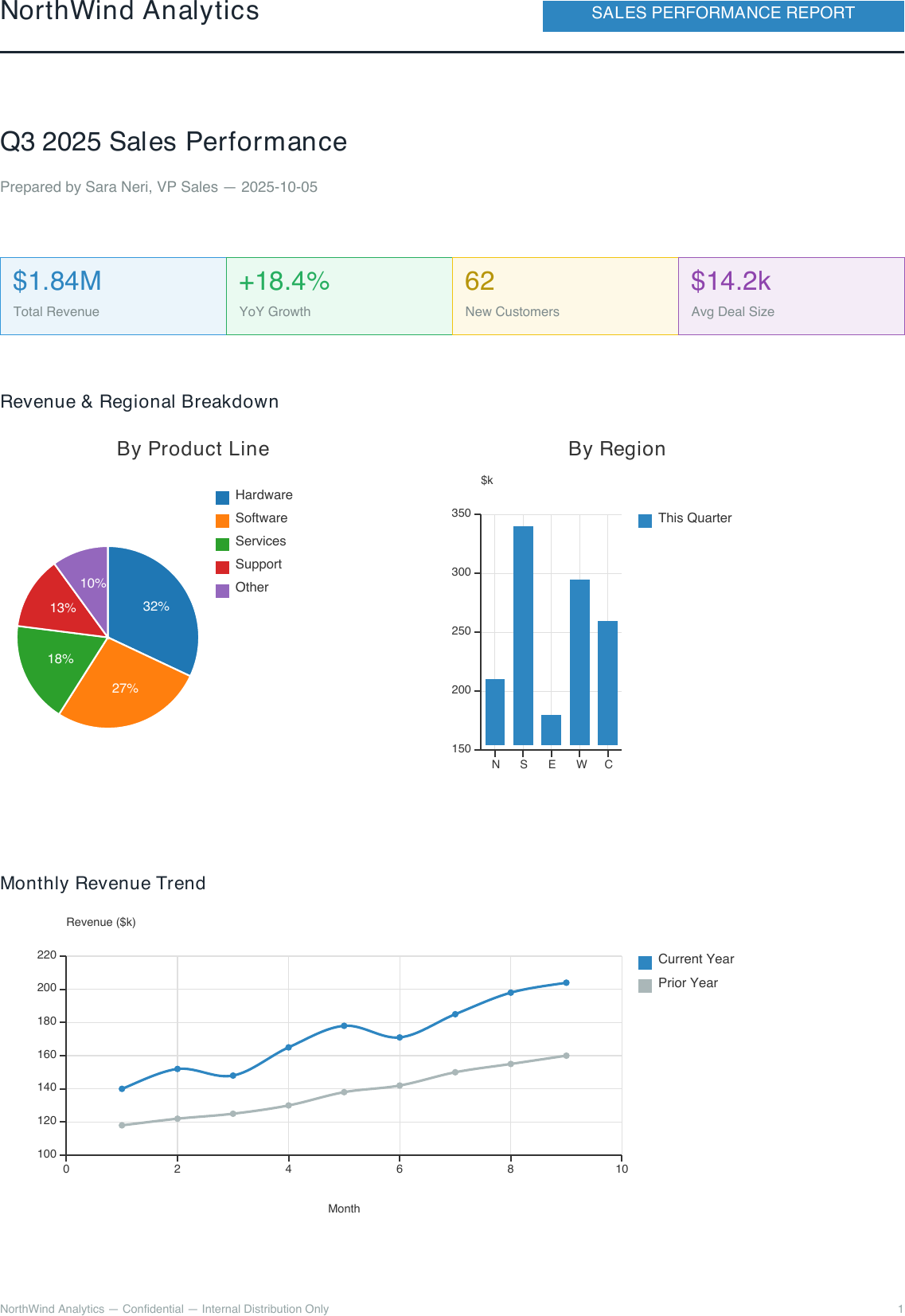
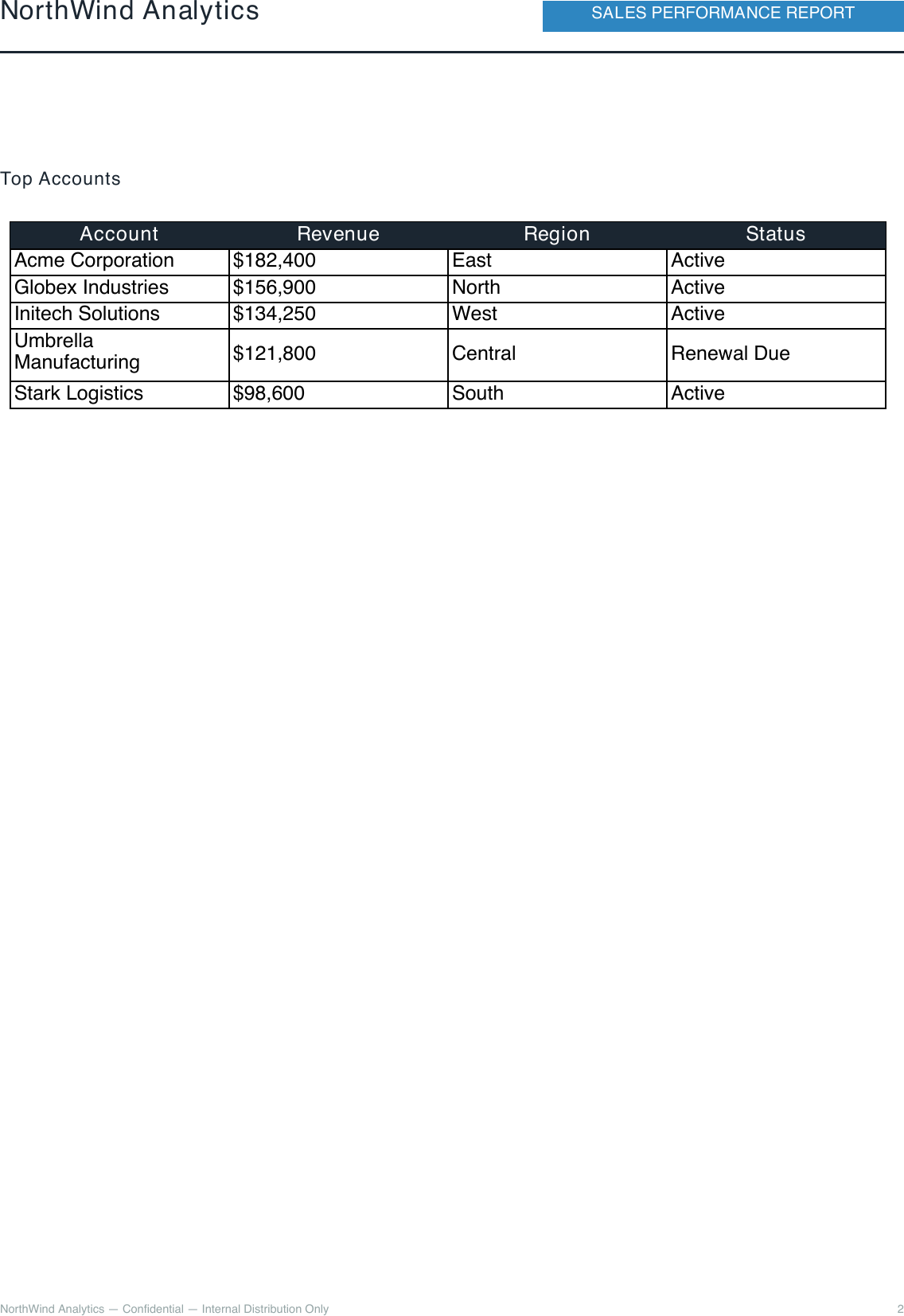
The newest of the five, and the one that exists specifically to show off Canvas and Chart: KPI stat cards, a pie-and-histogram dashboard drawn on a single <Canvas>, a year-over-year trend line, and a top-accounts table — the example the docs point to when your document is built around data rather than paragraphs.
Using them
Each example is a full .craft template plus a matching JSON data file, browsable in the examples section of the docs — not fragments, complete documents you can render as-is with docraft_tool and then start editing. If you build something from one of these and hit a wall, or you’ve got a document type that doesn’t fit any of the five, I’d like to hear about it — the gallery only grows if people tell me what’s missing. Repository’s at github.com/Cadons/Docraft.